


 4.3
4.3




About HP
The new HP app is not just a rebrand of HP Smart — it’s a complete rethinking of what it means to live with your devices. It takes the friction out of setup, the guesswork out of maintenance, and the boredom out of printing, wrapping everything in a single interface that feels both professional and quietly personal.
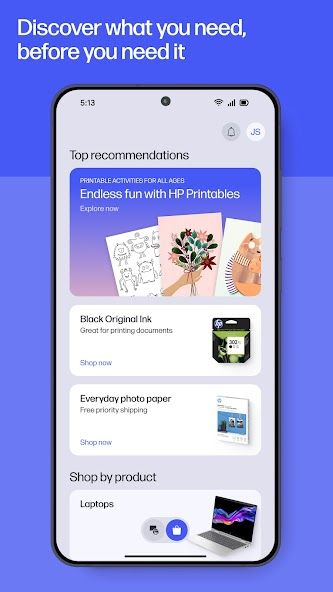
Open it once, and the app immediately recognizes who you are and what your HP device needs. Printer low on ink? It tells you before you even think about it. New laptop nearby? It’s already offering a guided setup that handles the network, drivers, and registration like a silent concierge who knows where every cable belongs.
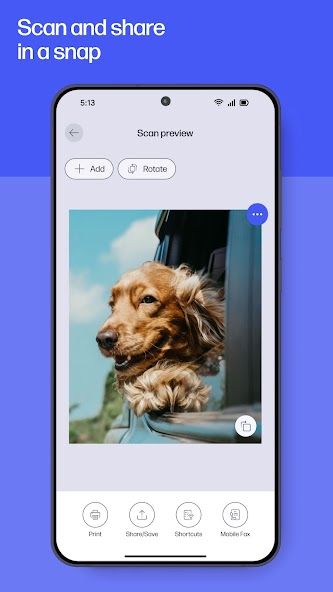
The design moves at your pace. There’s no labyrinth of menus or pop-up clutter — just clean tiles for printing, scanning, faxing, and support, each with the tactility of a control panel built for human hands. Print a last-minute form while your coffee brews, scan receipts to your inbox in seconds, or send a fax without touching a physical machine. Every tap feels like progress.
Beyond the basics, the HP app quietly expands into an ecosystem of small delights. “HP Printables” opens a digital drawer full of coloring pages, cards, and crafts that bring back the charm of ink and paper in an age of screens. “Print Shortcuts” remembers your most common tasks so you can skip the setup next time. The warranty tracker keeps your devices on schedule, while instant live chat brings help the moment you need it.
Underneath, there’s a modern framework that syncs seamlessly across phone, tablet, and desktop, so you never wonder where that scanned PDF went. Each update refines something — a smoother animation, a smarter alert, a fresher print layout — showing that HP hasn’t just built an app, but a long-term companion for every home office and study desk.
In a world crowded with tools that shout for attention, the HP app speaks softly and does its job. It organizes, anticipates, and simplifies, until technology feels invisible again — just a quiet hum of everything working as it should.


Features of HP
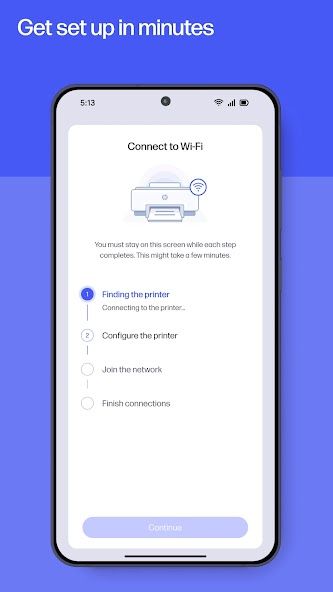
Easy Device Setup: Guided installation connects your HP printer or PC in minutes with minimal effort.
Smart Printing and Scanning: Print school forms, photos, or receipts, and scan documents directly to email or cloud.
HP Printables: Access creative templates including cards, coloring pages, and learning worksheets.
Print Shortcuts: Customize and save frequently used print settings for one-tap convenience.
Live Support and Warranty Tracking: Get instant chat assistance and monitor your HP device warranties.
Ink and Paper Notifications: Automatically alerts you when supplies run low and enables quick reordering.
Cloud Sync: Keeps all scans, print tasks, and settings consistent across devices.
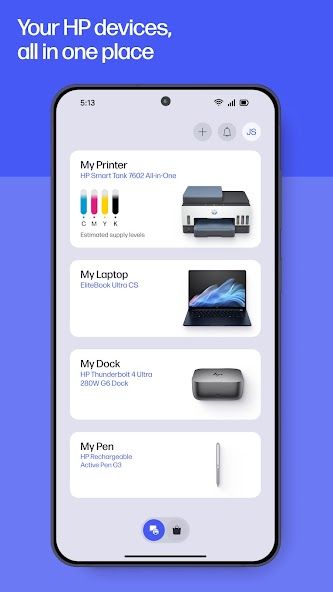
All-in-One Dashboard: Centralized control for printing, scanning, faxing, and device management.
Photo Printing: Print high-quality images directly from your smartphone or tablet.
Secure Data Handling: Protects user information and files through encrypted communication and HP account integration.

Pros
Unified control for printers, scanners, and PCs in one clean interface
Guided setup makes connecting new HP devices fast and effortless
Print, scan, and fax functions operate smoothly across devices
Creative extras like HP Printables add fun and personalization
Instant live chat and warranty tracking offer reliable support

Cons
Certain features require HP account login for full functionality
Some services vary by country and language availability
Internet connection required for most operations
Occasional delays in recognizing newly connected devices
Advanced features such as faxing may be limited to select models
Ratings
This number is based on download statistics from Google Play and may include historical
data.