


 4.6
4.6






About Microsoft Teams
Microsoft Teams has quietly outgrown its reputation as a meeting app, and even as an interface to the rest of Microsoft 365 at large, instead becoming something more: The nervous system of modern work, linking conversations, files, applications and human presence together into one digital environment that's always on, no longer just a “product” but now also an invisible layer of the workplace itself.
Click the icon and Teams, from that moment onward, obliterates the barriers between email, phone calls, shared files and meeting rooms — it's a fluid intelligent space that is continually learning people's habits so it can shape itself into real-world working patterns.
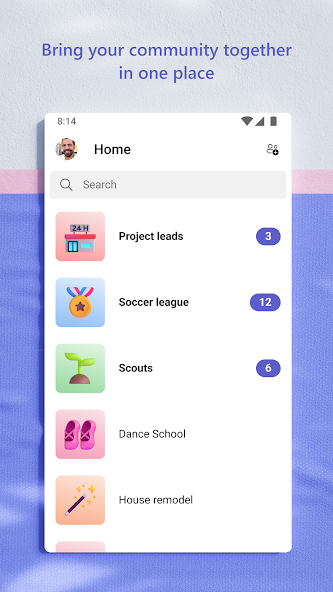
The interface opens with each column of teams and channels being spun up in seconds, with a tabbed workspace where Word, Excel, PowerPoint, Planner, OneNote, Power BI and more than a thousand third-party services load instantaneously beside the conversation. That's because every comment, emoji or GIF becomes an indelible part of the document or dashboard or ticket in question, and no longer will time be wasted hunting for that “latest version” that used to lurk somewhere on a desktop.
Status indicators, threaded replies and real-time typing displays simulate the informal body language of IRL gatherings by signaling not merely who is online, but whether they are free, presenting or in a call, so interruptions aren't jarring as much as courteous.
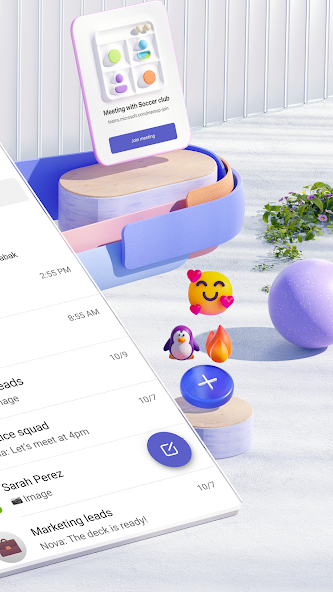
The calendar, built on Exchange, transforms every scheduled meeting into a live object: One click and that invitation mutates into a high-definition video room where up to 1,000 participants can share screens, scribble annotations collectively in real time, record minutes transcribed by AI or hail AI-generated action items before the window slams shut.
By compressing distance, hierarchy and application silos into a continuous secure thread of conversation, Microsoft Teams doesn't just make us more productive; it redefines what it means to be present at work, allowing talent to make its mark from within a glass tower, at the kitchen table or even from a beachside cabana halfway around the world.


Pros
Enhanced Collaboration and Productivity: Everything you need, from conversations and meetings to files and apps, are all brought together in Microsoft Teams so your staff no longer needs to switch between various applications.
Robust Security and Compliance: Microsoft Teams benefits from the full scope of enterprise-level security that’s provided by Microsoft, including data encryption, sophisticated access controls, and compliance standards.
Best for Remote and Hybrid Work: There is also a strong video conferencing aspect, including background blur, custom backgrounds — both images and video — closed captions, large meeting support that holds up to 1,000 participants.
Real Time Document Collaboration: Due to the deep integration with Office 365, in Teams Automation you can have multiple people appearing on-screen as they edit a word, excel or power-point doc.

Cons
Performance and Reliability Problems: Bugs, performance differences or sometimes even crash.
Complex and Sudden Factors: Once customers log-in to the platform, they can become overwhelmed by all the options and settings in their face.
Ratings
This number is based on download statistics from Google Play and may include historical
data.